 NexlyFlow
WhatsApp pricing and your sending limits
Who charges you for what on WhatsApp, and where to see your plan and sending limits.
On this page
1. Two separate bills2. How Meta charges3. See your plan and limits4. Keep your quality rating healthyUsing WhatsApp in NexlyFlow involves two separate bills. This guide explains who charges you for what and where to see your limits.
Plans: all plans.
1. Two separate bills
- Meta charges you for WhatsApp messages, using the payment method on your own WhatsApp Business account. NexlyFlow never resells WhatsApp messages or takes a cut of them.
- NexlyFlow charges you for the platform: your plan and what it includes, such as numbers, team seats, journeys and AI replies.
2. How Meta charges
Since July 2025, Meta charges per delivered template message. The price depends on the template's category and the country of the person you message:
- Marketing: offers and re-engagement. The most expensive category.
- Utility: updates about an order, booking or account. Free when sent while the customer's 24-hour window is open.
- Authentication: one-time codes.
- Replies inside the 24-hour window (service messages) are free.
Meta changes its rates from time to time. See Meta's pricing page for the current price in each country.
3. See your plan and limits
Switch to WhatsApp and click Usage & plan in the lower part of the menu. Only the workspace owner can open this page.
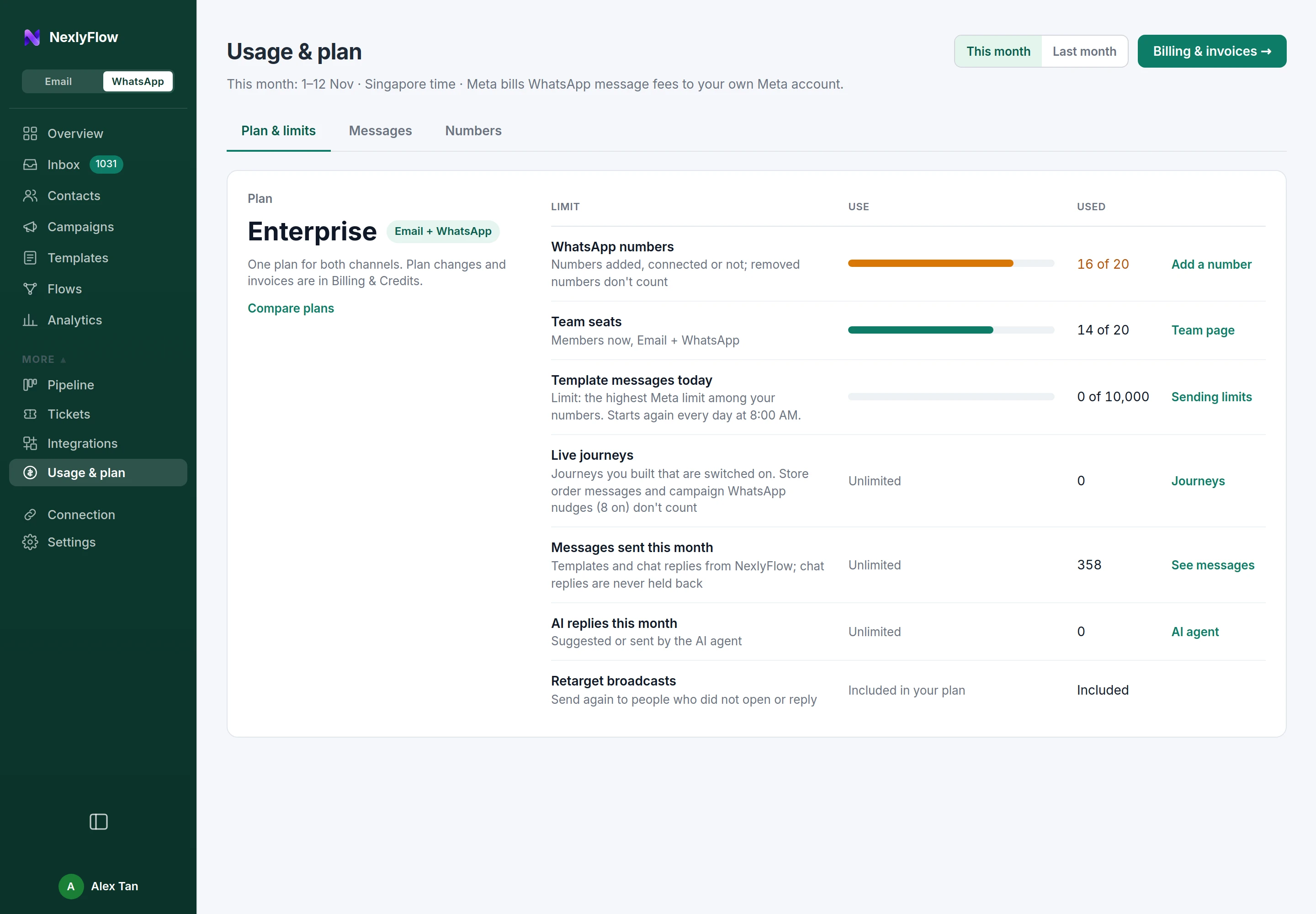
- Plan & limits shows your plan and, for each limit, how much you use: WhatsApp numbers, Team seats, Template messages today, Live journeys, Messages sent this month, AI replies this month and Retarget broadcasts.
- Template messages today follows the highest Meta limit among your numbers and starts again every day at 8:00 AM. Meta raises a number's limit as you send messages that people engage with.
- Chat replies are never held back by your limits.
- The Messages and Numbers tabs break the month down. Switch between This month and Last month at the top.
4. Keep your quality rating healthy
Meta rates every number by how people react to your messages. A number rated red is throttled by Meta. Warm up new numbers with small sends, only message people who opted in, and make opting out easy.